
Complete steps to use "Download Chrome Extension"
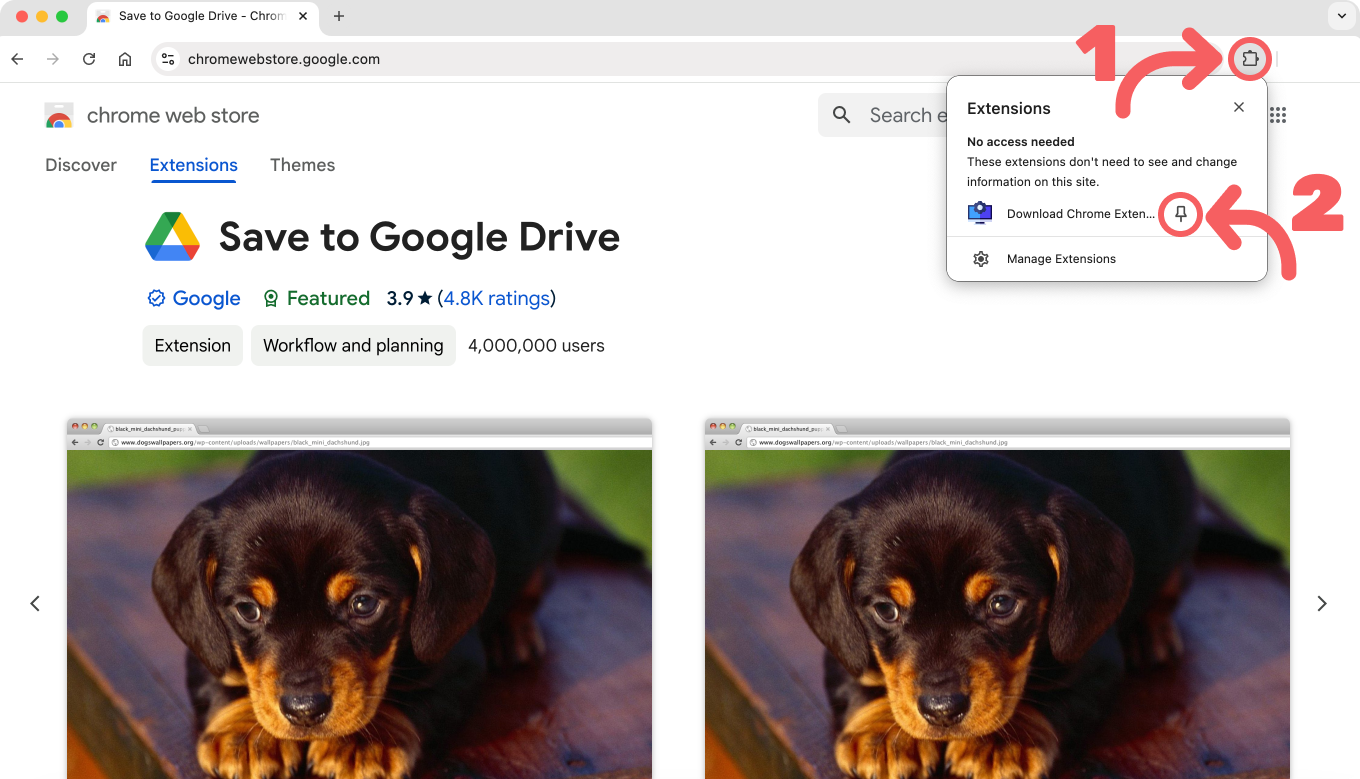
Click on the extension icon
Find the "Download Chrome Extension" icon in your browser toolbar and click on it to open the extension.
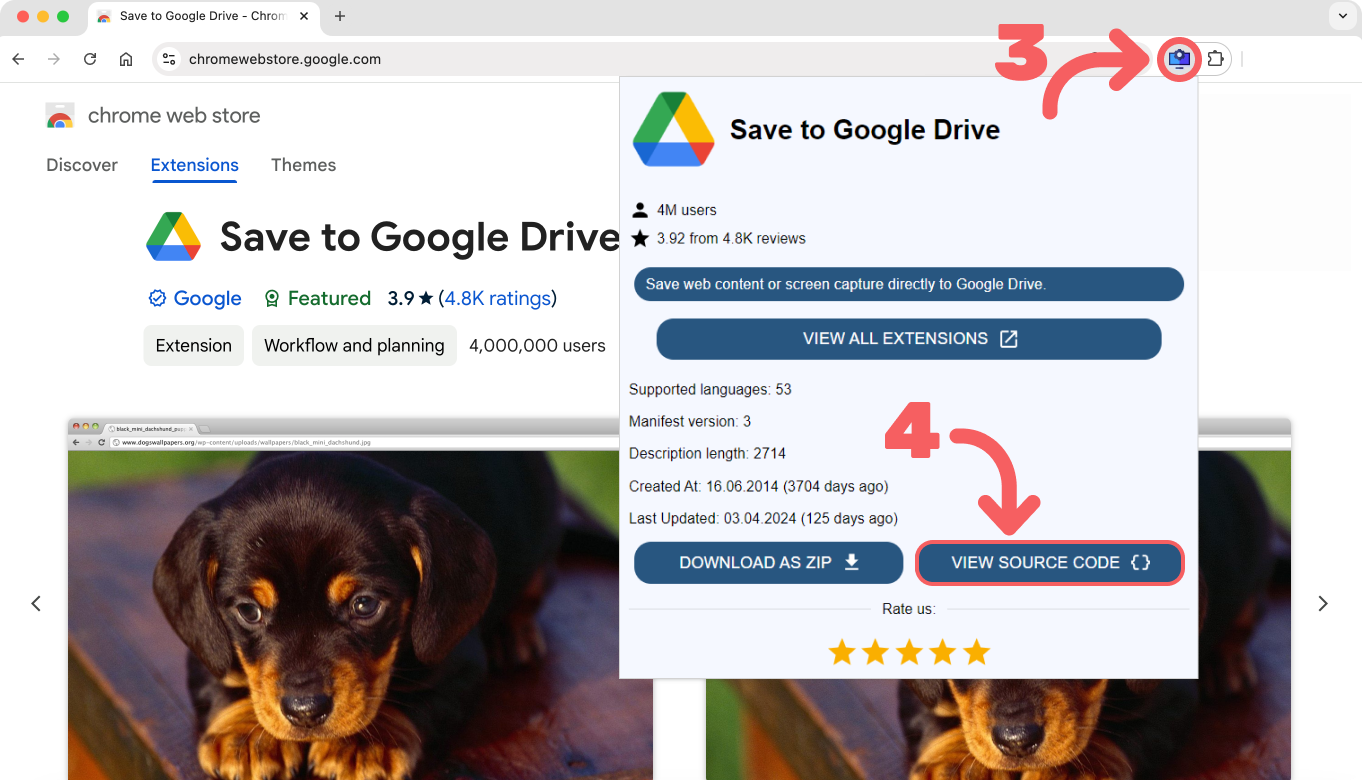
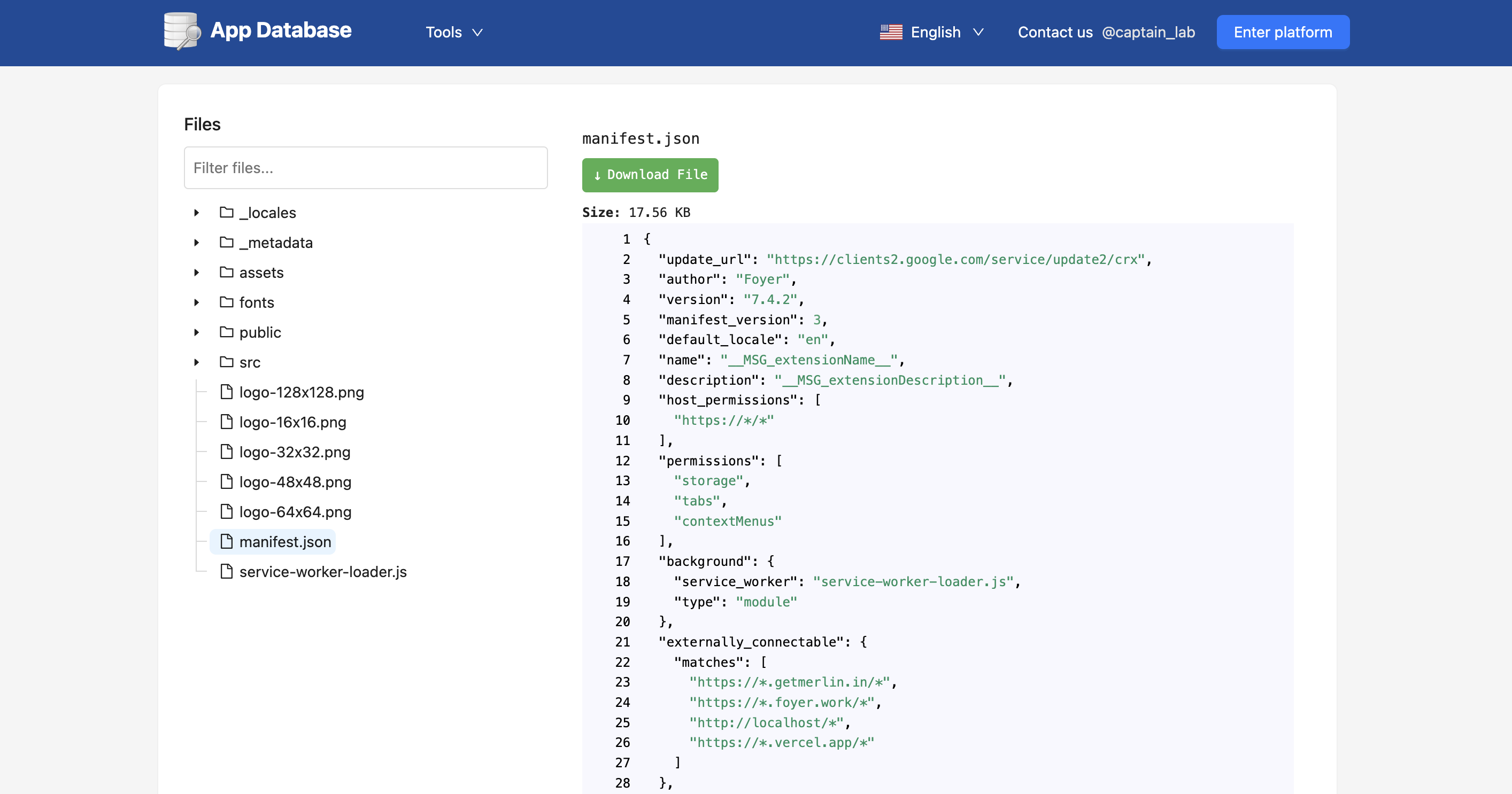
Explore source code
Click "View All Extensions"
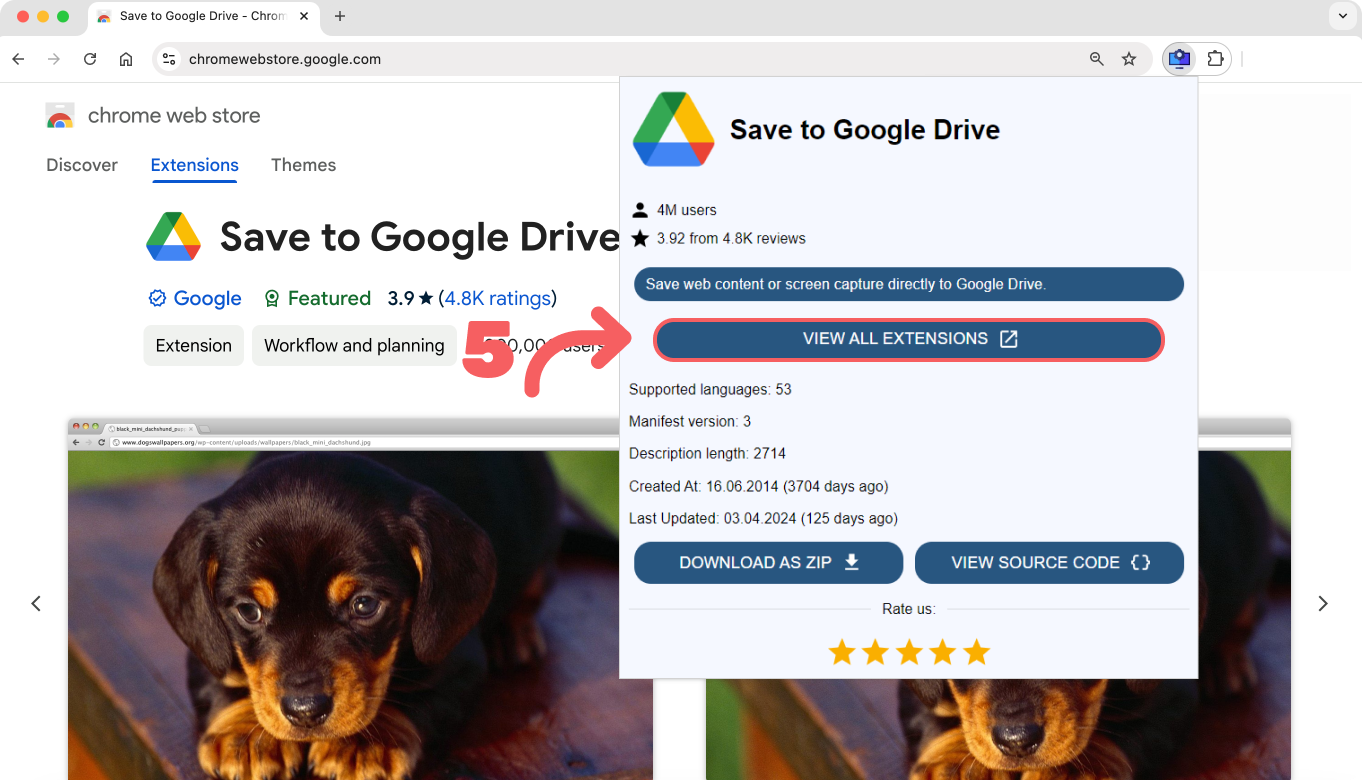
And view all extensions
© 2026 App Database. All rights reserved.